

If your website isn’t gaining traction and you are seeing pages that do not get indexed, rankings that fluctuate, or traffic that has plateaued, guesswork will not fix it. You need a structured SEO audit that reveals what is holding your site back and turns findings into a prioritized action plan.
In this guide, you will get an AI SEO audit checklist with more than 50 points that covers the essentials. It includes indexing and crawlability, technical SEO, content quality and search intent, internal linking, on page signals, and authority factors. You will also learn how to use AI the right way by speeding up analysis and spotting patterns while keeping human judgment in control so you avoid misleading conclusions.
By the end, you will have a clear and repeatable process to identify quick wins, diagnose deeper issues, and build a roadmap you can execute yourself or hand off to an SEO specialist. You can also download the free mini audit template to run a fast and practical audit on your website or a client’s site in under an hour.
What is an SEO Audit, and why do I need one?
An SEO audit is a structured review of your website to identify what is preventing it from ranking well on Google and turning organic traffic into leads or sales. It typically includes a technical SEO audit (crawlability, indexing, site speed, mobile usability, and Core Web Vitals), an on-page SEO review (titles, headings, content relevance, and internal linking), and an authority check (backlinks and trust signals). The goal is to turn scattered SEO tasks into a clear, prioritized roadmap.
You need an SEO audit because SEO issues rarely come from a single problem. For example, poor rankings may be caused by indexing barriers, weak internal linking, slow pages, or content that does not match search intent. An audit helps you pinpoint the real bottlenecks using data from tools like Google Search Console, then prioritize fixes that create measurable impact. This is exactly why an AI SEO audit checklist can be powerful: AI speeds up analysis and pattern detection, but the final decisions should be guided by SEO expertise and verified data.
In practical terms, an SEO audit helps you achieve three outcomes. First, it finds “invisible” technical problems that block crawling and indexing. Second, it uncovers quick wins that improve rankings and CTR without publishing new content. Third, it produces a repeatable plan you can follow using an SEO audit checklist and an SEO audit template, so every change you make ties back to growth in indexed pages, rankings, and qualified leads.
Is an AI SEO audit Checklist important for a new website, and when should I start?
An AI SEO audit Checklist is important for a new website, and you should start early. New sites often launch with hidden technical and structural issues that can slow down indexing and delay rankings, such as incorrect robots.txt rules, missing or misconfigured sitemaps, weak internal linking, duplicate URLs, or poor site architecture. Fixing these problems early helps Google crawl and understand your pages faster, which shortens the time it takes to earn visibility.
For a new website, the best approach is to run a “foundation audit” as soon as your core pages are live. Start with the essentials: crawlability and indexing in Google Search Console, a technical SEO audit focused on page speed and Core Web Vitals, clean URL structure, and a simple internal linking system that connects your most important pages. After that, run a lighter mini audit every two to four weeks during the first three months to catch indexing problems, content gaps, and early performance signals. Using an AI SEO audit checklist can speed up the review, but always validate key findings with real data before making changes.
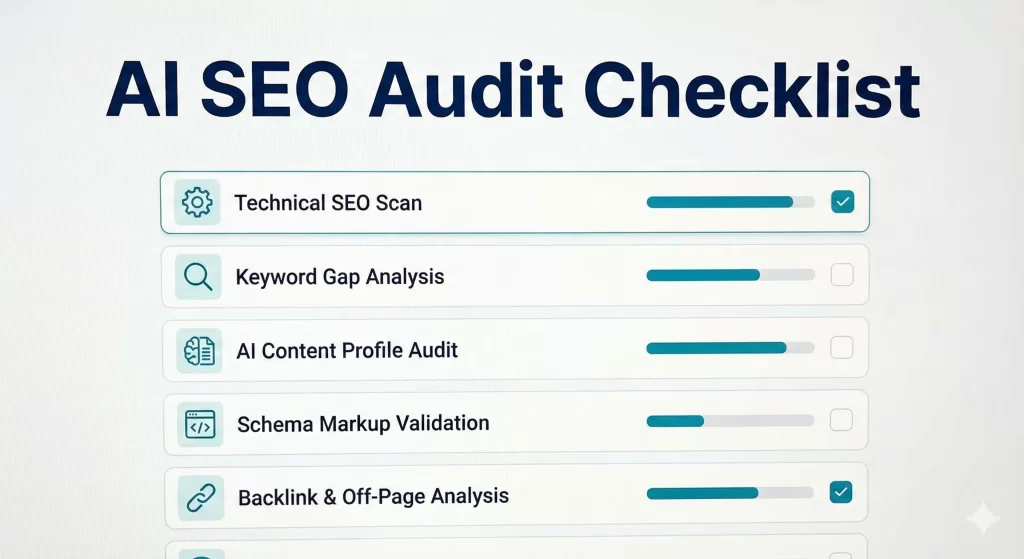
AI SEO Audit Checklist (+50 Points)
Why this checklist works
This checklist is designed to help you find the real reasons a site isn’t ranking, isn’t getting indexed, or isn’t converting organic traffic. Use AI to speed up pattern detection and summarization, but validate key findings with data from Google Search Console, your crawler, and analytics.
Indexing and Crawlability Checklist
Index coverage and exclusions
- Compare how many pages are indexed vs how many should be indexed
- Review Google Search Console Indexing reports for patterns in excluded URLs
- Investigate “Discovered but currently not indexed” URLs
- Investigate “Crawled but currently not indexed” URLs
- Check if important pages are being excluded due to duplication or canonicalization
If you find issues: focus on internal linking, content quality signals, removing duplicates, and cleaning canonicals before requesting re indexing.
Robots, meta directives, and sitemaps
- Review robots.txt to ensure it is not blocking important pages or folders
- Confirm noindex is not applied to pages that should rank
- Validate sitemap.xml format and confirm it contains only indexable, canonical URLs
- Confirm sitemap is submitted and processed correctly in Search Console
- Verify that sitemap URLs return 200 status codes and are not redirected
If you find issues: fix robots/noindex mistakes first, then resubmit sitemaps and re-crawl the site.
Canonicals and duplicate URL control
- Audit canonical tags to ensure they point to the correct preferred URL
- Identify parameter-based duplicates (UTM, filters, sorting) and control them
- Identify trailing slash / non-trailing slash duplication and standardize it
- Confirm HTTP → HTTPS redirects are consistent
- Find orphan pages (pages with no internal links)
If you find issues: choose one canonical version per page, enforce redirects, and rebuild internal links from relevant hub pages.
Technical SEO Checklist
Performance and Core Web Vitals
- Review Core Web Vitals for top landing pages and key templates
- Check LCP, INP, and CLS on mobile as a priority
- Measure server response time (TTFB) and hosting stability
- Identify heavy scripts slowing the page (tag managers, chat widgets, trackers)
- Optimize images (compression, next-gen formats, lazy loading where appropriate)
If you find issues: prioritize fixes on pages that already get impressions/clicks (highest ROI first).
Mobile, security, and site health
- Confirm mobile friendliness and responsive layout consistency
- Check HTTPS implementation and remove mixed content warnings
- Find and fix 404 errors that receive traffic or internal links
- Identify soft 404 pages and improve content or return proper status codes
- Investigate 5xx errors and their impact on crawling and indexing
If you find issues: fix 5xx and critical templates first, then clean 404s and soft 404s.
Rendering and crawl efficiency
- Confirm JavaScript rendering does not hide critical content or internal links
- Ensure important content is present in the HTML (not only after JS execution)
- Evaluate site architecture depth (important pages within 3–4 clicks)
- Handle pagination properly for category/listing pages
- Validate hreflang if the site targets multiple languages or regions
If you find issues: reduce crawl waste, simplify navigation, and make key content accessible without relying heavily on JS.
Site Architecture and Internal Linking Checklist
Structure and topic clusters
- Confirm a clear category structure that matches your main topics/services
- Create or improve hub pages for key topics and service areas
- Ensure every important page belongs to a logical cluster
- Avoid “index bloat” from low-value tag pages or thin archives
If you find issues: consolidate thin sections, strengthen hub pages, and keep only valuable archive/tag pages indexable.
Internal links and navigation signals
- Strengthen internal links to money pages from relevant supporting content
- Review anchor text for clarity, relevance, and natural variation
- Fix broken internal links and remove redirect chains inside the site
- Reduce deep pages by adding contextual links and improving menus
- Implement breadcrumbs correctly and ensure they reflect real hierarchy
If you find issues: treat internal linking like a ranking lever—your best pages should receive the most internal authority.
On-Page SEO Checklist
Titles, headings, and intent alignment
- Ensure each page has a unique, intent-matched title tag
- Write meta descriptions that improve CTR without clickbait
- Use one clear H1 that matches the primary keyword intent
- Organize headings (H2/H3) to reflect a clean outline
- Confirm the content answers the query quickly and directly
If you find issues: rewrite titles/H1 to match intent first, then improve the intro and section order for clarity.
Content signals and page experience
- Include the primary keyword and close variants naturally in key sections
- Optimize images with descriptive alt text where relevant
- Add references or supporting resources when it increases trust and accuracy
- Place a clear call to action aligned with the page goal (lead, sale, signup)
If you find issues: improve relevance and CTR first (title/meta/intro), then strengthen engagement and conversion elements.
Content Quality and Topical Authority Checklist
Quality, uniqueness, and freshness
- Identify thin pages and decide to improve, merge, or noindex
- Refresh outdated pages that have decayed in rankings (content refresh plan)
- Add original value (examples, templates, screenshots, process, data)
- Improve readability and structure to reduce pogo-sticking
If you find issues: consolidate weak pages into stronger assets and focus on depth + usefulness over volume.
Topical coverage and entity signals
- Expand topical coverage with supporting articles that link to your main pages
- Improve entity coverage by adding related concepts, definitions, and FAQs
- Reinforce clusters with consistent internal links between related pages
If you find issues: build topical authority by publishing “support content” that feeds your highest-value pages.
Trust, E-E-A-T, and Links Checklist
Trust signals and credibility
- Strengthen trust pages: About, Contact, Privacy, Terms, and clear ownership
- Add author bios and editorial standards where relevant
- Show proof of expertise: case studies, testimonials, processes, and outcomes
- Implement schema markup where appropriate (Organization, Article, FAQ, Product, LocalBusiness)
If you find issues: improve trust signals before chasing links—credibility supports long-term rankings and conversions.
Backlinks and off-page strength
- Review backlink profile quality, anchor distribution, and spam signals
- Identify competitor link gaps and plan outreach, PR, or partnerships
- For local SEO, ensure Google Business Profile consistency and NAP accuracy
If you find issues: clean obvious toxicity only when necessary, then focus on earning relevant links from real sites.
Prioritized action plan (the part most audits miss)
- Turn findings into a prioritized plan by Impact vs Effort
- Group fixes into Quick Wins, Medium Projects, and Long-Term Growth
- Assign owners, dependencies, and timeline (30/60/90 days)
If you do this right: you move from “a report” to a roadmap that drives rankings and leads.
What is a Mini-Audit, and what does it typically include?
A Mini-Audit is a fast, high-impact SEO review designed to identify the biggest issues and quickest opportunities without running a full, deep audit. It is often used as a first diagnostic step to understand why a website is not getting indexed properly, not ranking, or not converting organic traffic, and to decide what should be fixed first.
A typical SEO mini-audit usually includes the essentials across three areas. First, it checks indexing and crawlability using Google Search Console, sitemap and robots rules, and basic canonical and noindex verification. Second, it reviews core technical SEO signals such as mobile usability, page speed, and Core Web Vitals on the most important pages. Third, it evaluates on-page and content fundamentals, including search intent alignment, title and heading quality, internal linking to key pages, and obvious duplication or keyword cannibalization risks.
The output is usually a short, actionable summary rather than a long report. You can expect a prioritized list of top issues, quick wins, and recommended next steps, often organized by Impact vs Effort, plus a simple 30-day plan for implementation.

Free Mini-Audit Template (Copy/Paste)
1) Website Details
- Website URL:
- Business type (SaaS / eCommerce / Local / Other):
- Target country / language:
- Primary goal (Leads / Sales / Signups):
- Top 3 competitors (URLs):
- Main service/product pages to rank (URLs):
2) Access and Tools
- Google Search Console access: Yes / No
- Analytics access: Yes / No
- Crawler used (Screaming Frog / Sitebulb / Other):
3) Quick Performance Snapshot (Google Search Console)
- Date range checked: Last 28 days / 3 months
- Total clicks:
- Total impressions:
- Average CTR:
- Average position:
- Top 5 pages by clicks (URLs):
- Top 5 queries by impressions:
4) Indexing and Crawlability Checks
- Indexed pages estimate (site:domain.com):
- GSC Indexing status summary (main exclusions):
Checklist
- Robots.txt is NOT blocking important sections
- Sitemap is submitted and processed in Search Console
- Sitemap contains only canonical, indexable URLs
- No important pages are accidentally set to noindex
- Canonical tags point to the correct preferred URLs
- Parameter-based duplicates are controlled (UTM/filters/sort)
- No redirect chains (more than 1 hop) for key pages
- No orphan pages (important pages have internal links)
Notes:
5) Technical SEO Checks
- Core Web Vitals status (mobile): Good / Needs improvement / Poor
- Biggest issues found (LCP / INP / CLS):
Checklist
- Mobile-friendly templates and layouts
- HTTPS correctly implemented (no mixed content warnings)
- No critical 404 pages (traffic or internal links)
- No soft 404 pages (or they’re fixed)
- No 5xx server errors impacting crawling
- JavaScript does NOT hide critical content or internal links
Notes:
6) On-Page and Content Checks (Top 3–5 Pages)
Page URL #1:
- Title matches intent
- H1 is clear and aligned
- Content answers the intent quickly
- Cannibalization risk: Yes / No
- CTA is clear (lead/sale/signup)
Notes:
Page URL #2:
- Title matches intent
- H1 is clear and aligned
- Content answers the intent quickly
- Cannibalization risk: Yes / No
- CTA is clear (lead/sale/signup)
Notes:
Page URL #3:
- Title matches intent
- H1 is clear and aligned
- Content answers the intent quickly
- Cannibalization risk: Yes / No
- CTA is clear (lead/sale/signup)
Notes:
7) Site Architecture and Internal Linking
Checklist
- Important pages are within 3–4 clicks
- Internal links to money pages are strong and contextual
- Anchor text is relevant and natural
- Broken internal links are fixed
- Breadcrumbs reflect correct hierarchy
Notes:
8) Authority and Trust Checks
Checklist
- About / Contact / Privacy / Terms are present and clear
- Author bios or credibility signals (where relevant)
- Backlink profile looks natural (no obvious spam patterns)
- Competitors have stronger authority: Yes / No
Notes:
9) Top Issues and Priorities (Impact vs Effort)
1) Issue:
- Evidence (URL/GSC note):
- Fix recommendation:
- Impact: High / Medium / Low
- Effort: High / Medium / Low
2) Issue:
- Evidence (URL/GSC note):
- Fix recommendation:
- Impact: High / Medium / Low
- Effort: High / Medium / Low
3) Issue:
- Evidence (URL/GSC note):
- Fix recommendation:
- Impact: High / Medium / Low
- Effort: High / Medium / Low
(Repeat up to 10)
10) Quick Wins and Next Steps Plan
Quick wins (next 7 days):
- 1.
30-day plan:
- Week 1:
- Week 2:
- Week 3:
- Week 4:
11) Client Questions (to remove guesswork)
- What services/products have the highest profit?
- Which pages bring the best leads/sales today?
- Any recent redesign, migration, or CMS change?
- Any past traffic drops or penalties?
12) Mini-Audit Summary (Copy for Email/Proposal)
- Biggest blockers:
- Fastest opportunities:
- Recommended next step: Full audit / Fix sprint / Ongoing SEO
Want a Free Mini-Audit?
Send your website URL, your top 3 competitors, and the pages you want to rank. I’ll reply with your top issues, quick wins, and a prioritized next-step plan.
I’ll respond within 2-3 business days with a practical, prioritized checklist you can implement.
Final Thoughts
An AI SEO Audit Checklist is not a one-time report. It is a repeatable system for finding what is blocking growth, prioritizing the highest-impact fixes, and turning SEO into measurable results. When you combine a solid technical review with content and intent checks, internal linking improvements, and trust signals, you stop guessing and start building a site Google can crawl, understand, and confidently rank.
Use the checklist in this guide to run your next audit with clarity, and use AI to speed up pattern detection and documentation, not to replace verification. Start with the pages that already earn impressions, fix the issues that prevent indexing and performance, and then expand topical coverage with a clear plan.
If you want a faster path, copy the Free Mini-Audit Template and run a quick review today. Or, if you prefer an expert to do it for you, request a free mini-audit and I’ll send back your top issues, quick wins, and a prioritized next-step roadmap.